

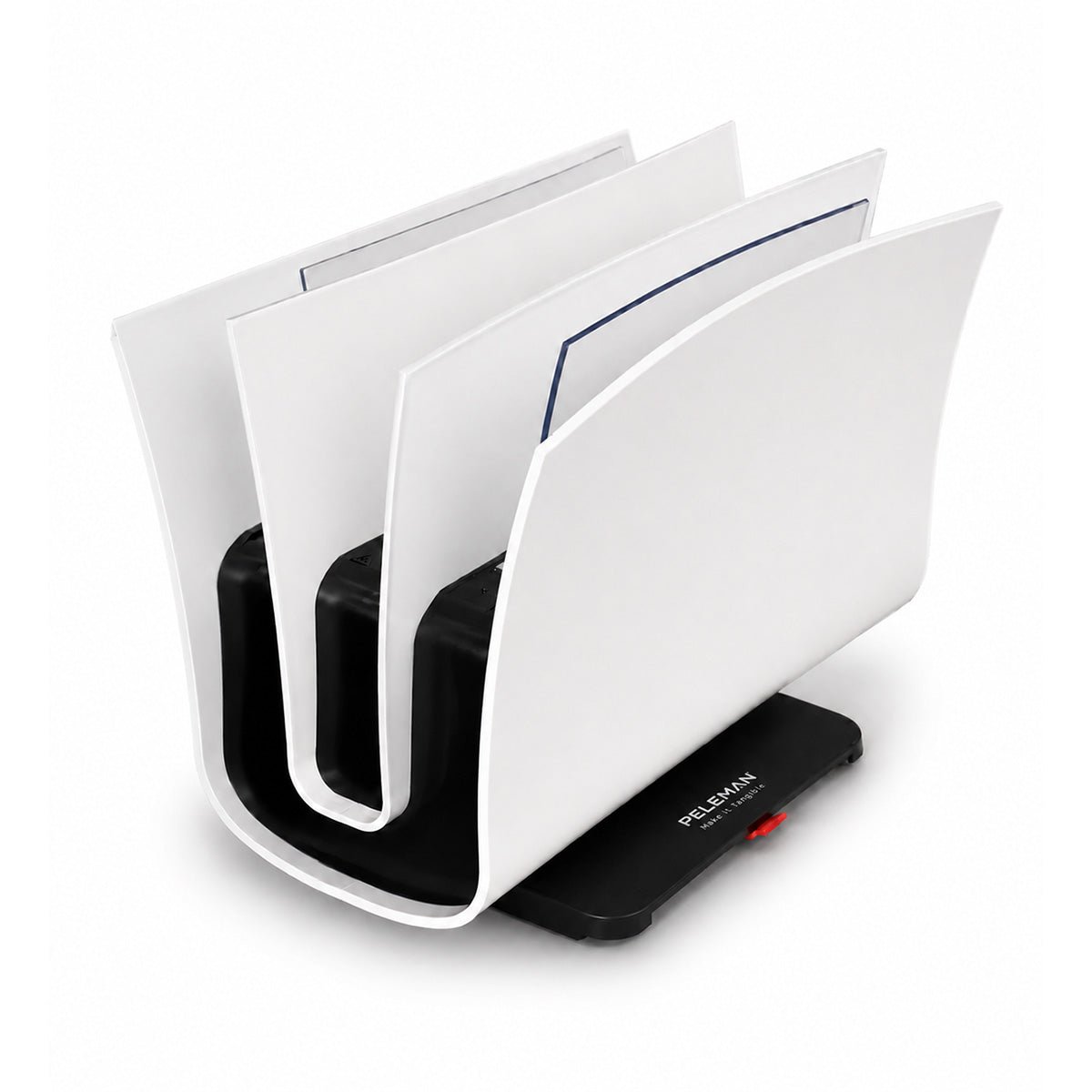
Binding Machines for Small Offices: What to Look For
Small offices don't need what a print shop needs, and buying like one leads to overpaying for capacity that never gets used. This guide is a practical checklist for choosing a binding machine sized correctly for a small office: what to look for, what to skip, and what else to budget for once the machine itself is decided.
If you haven't nailed down your volume yet, start with our binding machine buyer's guide by volume — this article assumes you're in the desktop-to-office range and want to know what actually matters when comparing models. For the full mechanics of how thermal binding works, see the complete guide to thermal binding.

Why Small Offices Need a Different Checklist
Most binding machine marketing is written for high-volume buyers: page counts, batch cycles, throughput per hour. None of that is the deciding factor for a small office binding a few dozen proposals, reports, or handbooks a month. What actually matters is simpler: does it fit on a desk, is it ready to use without training, does it handle the range of document sizes you actually produce, and is it durable enough not to need replacing in a year.
A small office is generally binding under 50 documents a month, occasionally scaling toward 100 during busy periods. That puts you squarely in desktop binding machine territory, not office- or production-tier equipment, and the buying checklist below is built around that range.
6 Things to Look For in a Small Office Binding Machine
1. Spine range that matches your real documents, not your biggest one. Most small office binding is single-topic documents: a proposal, a short report, a one-off handbook. A 2–12 mm spine range covers the overwhelming majority of that. Don't buy for the occasional 300-page manual you bind twice a year, that's a job for outsourcing or a rental, not your everyday machine.
2. Genuinely desktop-sized. A binding machine that needs its own table isn't a small office binding machine, no matter what the listing says. Check actual dimensions, not just the "desktop" label.
3. No warm-up delay. Some thermal binding machines need a warm-up cycle before the first bind; better small-office models are ready instantly, no on/off button, no waiting. In a small office, binding is usually squeezed between other tasks, so friction at the start of the process is the first thing to eliminate.
4. Simple, one-step operation. Look for a binding machine that doesn't require training to operate correctly. Automatic sensors that detect the cover and start the cycle without button-pressing remove the most common source of user error, uneven or incomplete binds.
5. Compatible covers that don't lock you into one supplier. Confirm the machine works with a standard binding cover and steel spine binding covers rather than a proprietary format only sold by one vendor at a markup. This matters more over the machine's life than at purchase, since covers are the ongoing cost.
6. Low-maintenance by design. A small office doesn't have a facilities team checking equipment weekly. Look for a machine that's built to need minimal upkeep, no belts, no adhesive lines to clean, and a straightforward cooling process. Our maintenance and troubleshooting guide covers what routine care looks like once you own one, worth a quick read before you buy so you know what you're signing up for.
Desktop Models Compared: What Actually Differs
| Factor | Entry desktop model | Higher-capacity desktop model |
|---|---|---|
| Spine range | 2–6 mm | Up to 12 mm |
| Typical page count | Up to ~60 pages | Up to ~120 pages |
| Best for | Proposals, short reports | Handbooks, training materials |
| Footprint | Smallest | Slightly larger, still desk-sized |
| Price | Lower | Moderate step up |
For most small offices, the deciding factor between these two isn't price, it's whether you regularly bind anything past about 60 pages. If you do, size up; if you don't, the entry model is enough and there's no reason to pay for spine range you won't use.
What You'll Also Need
The machine is a one-time purchase; consumables are the ongoing cost, and it's worth budgeting for them upfront rather than being surprised later:
- Thermal binding covers in the finish you want (soft cover, clear front, or presentation-grade) — this is what clients and staff actually see.
- Steel spine binding covers if durability matters for documents that get handled repeatedly, training manuals, reference binders, anything that stays in circulation.
- Presentation covers or report covers sized to your standard document format (letter size covers most US small office needs).
- A small stock buffer — running out of covers mid-project is a common small-office gap; keep at least a box ahead of your typical monthly use.
Why Buy Your Binding Machine Direct From Peleman
A binding machine is a small purchase to research and a repeat purchase for years afterward, which is where who you buy from starts to matter as much as the machine spec sheet:
- Peleman is the original manufacturer, not a reseller. The machine, the compatible covers, the warranty, and the support all come from the same source. That matters in practice: buying through a third-party reseller can leave you with a machine, a warranty claims process, and a cover supplier that are three different companies with no real coordination between them.
- A 1-year manufacturer's warranty is included on every Peleman binding machine, covering manufacturing defects and operational malfunctions, with replacement or repair handled directly. Since Peleman is US-based, warranty service is handled stateside rather than routed through an overseas manufacturer.
- Peleman has been manufacturing binding and presentation equipment since 1979, so the machine and cover ecosystem a small office buys into today has decades of iteration behind it, not a first-generation product.
- Orders ship same-week from the US facility in Alpharetta, Georgia, which matters for a small office that needs equipment running quickly rather than waiting on an overseas shipment.
- The full binding ecosystem scales with you. Peleman's thermal binding systems are used across more than 2,500 corporations and have been used to bind over a million reports and proposals, so a small office isn't buying into a niche product line, it's buying into equipment already proven at volume, with room to grow into a higher-capacity model later without switching cover systems.
- You can test real materials before committing. Peleman offers sample cover packs so a small office can see and feel actual finishes, hardcover, spine cover, and flex options, before deciding which covers to standardize on.
Common Small Office Use Cases
A desktop thermal binding machine in a small office typically covers:
- Client proposals and reports that need to look finished, not stapled.
- Employee handbooks and onboarding materials that get reused across new hires.
- Internal training manuals and reference guides.
- Client deliverables where presentation quality reflects on the business.
None of these require production-tier equipment, they need a machine that's reliable, fast, and produces a clean result every time.
Buying Mistakes Small Offices Make
- Buying for the exception, not the norm. Sizing a machine around one unusually thick document a year instead of the typical document leads to overpaying.
- Ignoring cover compatibility. Locking into a proprietary cover format limits pricing flexibility later.
- Skipping the footprint check. "Desktop" isn't a guarantee of actual desk fit, check dimensions against your available space.
- Underestimating consumable cost. The machine price is only part of the total cost, covers and spines are the recurring line item.
- Buying through a reseller instead of the manufacturer. It can mean a slower or less certain warranty process if something goes wrong.
Frequently Asked Questions
What's the best binding machine for a small office? For most small offices binding under 50 documents a month, a compact desktop thermal binding machine with a 2–12 mm spine range and no warm-up delay is the best fit, covering typical proposals, reports, and handbooks without the cost of higher-capacity equipment.
Is a desktop binding machine enough for office use, or do I need something bigger? If your volume is under roughly 50 binds a month and your documents are mostly under 120 pages, a desktop machine is sufficient. Step up to an office-tier machine only if volume or page count regularly exceeds that.
How much should I budget for a binding machine and supplies? Beyond the machine itself, budget for an ongoing supply of thermal binding covers and spines sized to your typical document, plus a small buffer stock so you're not caught short mid-project.
Do small office binding machines need much maintenance? Minimal. A quick wipe-down after use and occasional checks are typically enough at small-office volume; see the maintenance guide for the full routine.
What warranty comes with a Peleman binding machine? Every Peleman binding machine includes a 1-year manufacturer's warranty covering defects and operational malfunctions, handled directly by Peleman in the US rather than through a third party.
Can one machine handle both quick proposals and thicker handbooks? Yes, as long as you choose a spine range (up to 12 mm) that covers both. Just confirm the specific model's upper page-count limit before assuming it handles your thickest document.
Find the Right Fit for Your Office
The right binding machine for a small office isn't the biggest or the cheapest, it's the one sized to what you actually bind, backed by a manufacturer that stands behind it directly, with covers that won't lock you in and upkeep that won't become a task nobody has time for.
Browse thermal binding machines sized for small office use, or check the buyer's guide by volume if you're not sure which tier fits your office yet.
Binding Machine Maintenance & Troubleshooting Guide
In-House Binding vs. Outsourcing to a Copy Shop — A Cost Comparison