

How to Choose the Right Spine Size for Thermal Binding
Picking the wrong spine size is the single most common reason a thermal bind comes out loose, bulging, or too tight to open flat. The good news: once you understand how spine sizing actually works, matching a spine to your document takes less than a minute.
This guide walks through how thermal binding spine sizes are measured, how to size a spine to your page count, and where steel spines outperform older binding spines. If you're new to thermal binding altogether, start with our complete guide to thermal binding, which covers machines, workflow, and maintenance in depth. This article zooms in on one decision from that guide: getting spine size right.
What "Spine Size" Actually Means in Thermal Binding
In thermal binding, the spine is the strip inside a binding cover that holds the adhesive (or, in steel-spine systems, a resin-filled channel) that fuses your pages into a book. Spine size refers to the width of that strip, measured in millimeters, and it's the single variable that determines how many sheets a cover can hold.
Every thermal binding machine and binding cover is built around a spine range. Choose a spine that's too narrow and pages won't fit or the bond won't fully seal every sheet. Choose one that's too wide and the book looks unfinished, with the cover gaping around a half-empty spine.
Because document binding is really a function of page count and paper weight, spine size isn't a style choice, it's a measurement problem. Treat it the same way you'd treat choosing the right size of a manila folder for a stack of paper: form should follow content.

Steel Spines vs. Traditional Binding Spines
Not all binding spines are built the same way. Traditional thermal binding covers use a strip of hot-melt glue embedded in a paper or cardstock spine. It works, but the glue can crack over time, and thinner spines are prone to warping under heat.
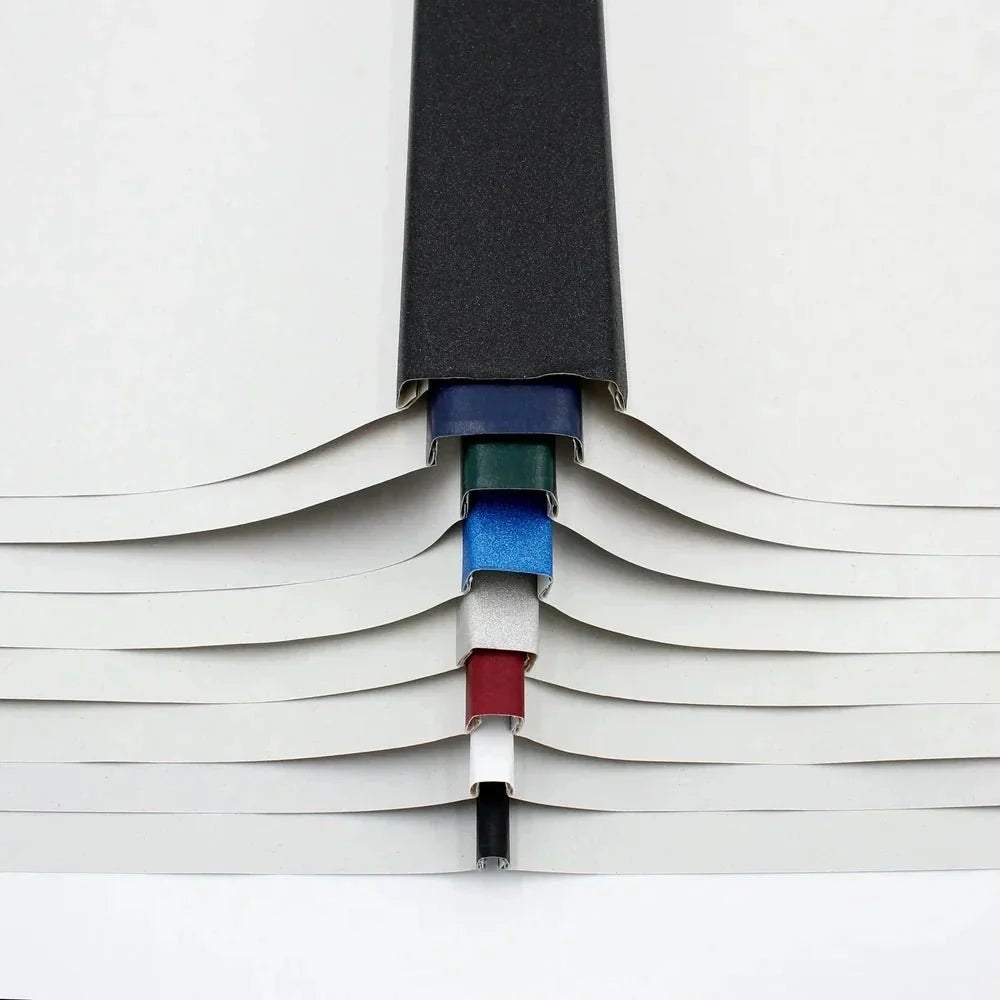
Steel spines solve this differently. Instead of a glue strip, a U-shaped steel channel pre-loaded with thermal resin runs the length of the cover. When the binding machine heats it, the resin melts around the inserted pages and re-solidifies as a single, rigid block, with the steel channel holding the shape permanently. That's why steel spine binding covers hold their form better over repeated handling and don't bow the way glue-only spines can on thicker documents.
For anyone comparing document binding options, this is the practical difference between a bind that looks good on day one and a bind that still looks good after a year on a shelf. If your books get handled often (training manuals, presentation copies, archival documents) steel spines are worth the small premium over standard covers.
Thermal Binding Spine Size Chart by Page Count
Use this as a starting point, then round up to the next available spine size if your page count sits close to a boundary. All figures assume standard 20 lb (80 gsm) paper; heavier stock (cardstock covers, photo paper, coated stock) reduces capacity.
| Spine Size | Sheet Capacity | Approx. Page Count | Typical Use |
|---|---|---|---|
| 1–3 mm | Up to 30 sheets | ~60 pages | Short proposals, single-topic handouts |
| 6 mm | Up to 60 sheets | ~120 pages | Standard reports, small manuals |
| 10 mm | Up to 100 sheets | ~200 pages | Training guides, policy handbooks |
| 16 mm | Up to 160 sheets | ~320 pages | Course packets, thicker manuals |
| 25 mm | Up to 250 sheets | ~500 pages | Reference binders, dissertations |
| 40 mm | Up to 400 sheets | ~800 pages | Large manuals, archival volumes |
A quick rule of thumb for document binding: count your sheets (not pages, if you're printing double-sided), then add 10–15% headroom. A stack that fits a spine exactly at capacity binds tighter and cools more slowly than one with a little breathing room.
How to Measure Your Document for the Right Spine
- Count actual sheets, not printed pages. Double-sided printing means 100 pages is only 50 sheets. This alone is where most sizing mistakes happen.
- Factor in paper weight. Standard 20 lb office paper is the baseline for most spine charts. If you're using 24 lb, 28 lb, or cardstock covers, your effective capacity drops. When in doubt, physically stack your pages and measure the thickness with a ruler against your spine size chart.
- Check the compatibility of your binding machine. Every thermal binding machine has a supported spine range, and desktop units typically top out lower than production models. Confirm your machine can actually run the spine size you need before you order covers in bulk.
- Round up, not down. A slightly oversized spine still produces a clean bind; an undersized one won't seal every sheet and risks pages pulling loose.
- Order a size range if your volume varies. Most binding programs don't use a single page count. Keeping two or three spine sizes of steel spine binding covers on hand covers the majority of day-to-day binding machine jobs without guesswork.
Common Spine Size Mistakes to Avoid
- Sizing to the cover, not the pages. The cover's outer look doesn't change with spine width, only the pages inside do. Always size to your actual sheet count.
- Ignoring paper weight. A 200-page document on lightweight paper and a 200-page document on heavy cardstock need different spine sizes, even though the page count matches.
- Overfilling a spine "to save on covers." Cramming pages into an undersized spine strains the seal and is a leading cause of warping or bubbling during the heat cycle, an issue covered in more detail in the maintenance section of our thermal binding guide.
- Mixing spine standards across machines. Not every thermal book binding cover fits every machine. Confirming spine compatibility up front avoids reordering mid-project.
- Guessing instead of measuring. A binder clip test (clip your pages together and measure the stack) takes ten seconds and removes almost all the guesswork.
Why Getting Spine Size Right Matters for Book Binding Quality
Spine size isn't just a fit question, it's a quality question. A correctly sized spine:
- Distributes heat evenly across every sheet during binding, producing a consistent seal edge to edge.
- Lets the book lie and open properly instead of springing shut or gapping at the cover.
- Keeps the finished document looking intentional rather than makeshift, which matters for anything client-facing, from proposals to presentation books.
- Reduces waste. Sizing correctly the first time means fewer re-binds and less consumable cost per finished document.
This is also where steel spines earn their keep: because the channel holds a fixed, rigid shape, a well-matched steel spine binding cover keeps that clean edge for the life of the document, not just the first few times it's opened.
Frequently Asked Questions
What spine size do I need for a 50-page document? At roughly 25–50 sheets depending on whether you're printing single- or double-sided, a 3–6 mm spine will typically cover it. Round up to 6 mm if you're using heavier paper or want extra headroom.
Can I use a bigger spine than I need? Yes. An oversized spine still produces a secure bind, it just leaves a bit of visual slack in the cover. It's a safer error than under-sizing, which can leave pages loose.
Do steel spines come in the same size range as standard binding spines? Yes, steel spine binding covers are available across the same standard sizes used for document binding, from a few millimeters up to 40 mm, so switching to steel spines doesn't limit your page-count range.
Does spine size affect binding time? Slightly. Thicker spines generally need a longer heat cycle and cooling period than thin ones, since there's more material and more pages to bond evenly. Check your binding machine's timer settings for the spine size you're using.
What happens if I choose the wrong spine size? An undersized spine may not fully seal every sheet, leading to loose pages. An oversized spine will still bind securely but can look under-filled. Either way, the fix is simply reordering the correct spine size, nothing about the machine or cover needs to change.
Choosing the Right Spine Starts with the Right System
Spine size only solves half the equation, the other half is having a thermal binding machine and cover system that supports the range you need. Peleman's steel spine binding covers are built on the same U-shaped steel channel across every size and cover style, so once you've sized your document correctly, any spine works with any compatible machine.
Browse our full range of thermal binding machines and steel spine binding covers, or go back to the complete guide to thermal binding for the full workflow from machine selection to troubleshooting.
Thermal vs comb vs wire vs perfect binding
Binding Machine Buyer's Guide by Volume — How to Choose the Right Machine